Changing a Ram Chip
Changing a RAM Chip
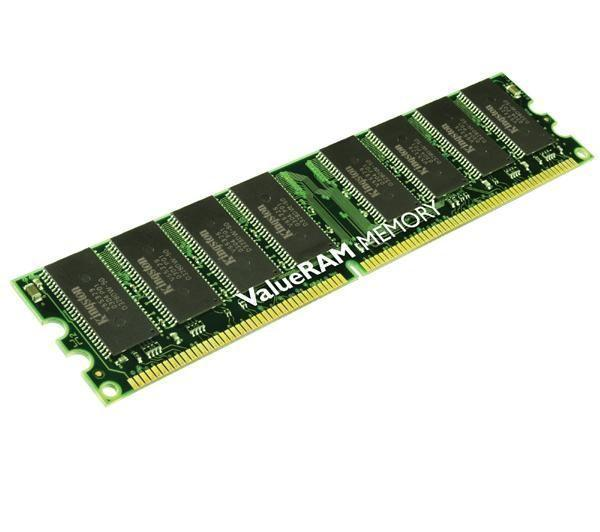
Imagine you are speaking with one of your friends and he is telling you:
“I have trouble with my computer. I looked for information on web and I think it comes from one of my Ram chip. Unfortunately, I know nothing in computing and I’m not able to repair it myself. I talked about it to my father and mother who think that it is preferable to throw it away and to buy another one. I’d like to have a new computer but I’m not sure that it is good solution in terms of sustainable development. Do you agree with my parents or with me?”
Your answer
“I agree with you. There is already an important quantity of computing waste in the world and I think it is much better to repair your computer. I am not a specialist but I’ll help you to change your Ram chip. Give me a little time to look for a solution.”
- Learning (one session)
- Looking for information and methods
|
|
Studying the guide on the web site: http://www.ifixit.com/Guide/Dell-OptiPlex-GX260-Ram-Removal/4001/1 This site will show you how to do. It will give you specific vocabulary you will need in order to replace the Ram chip. |

- Acquiring an adapted vocabulary
|
|
By reading this web site, you found specific vocabulary concerning materials or actions. Write them on your sheet to be sure to reuse them later. This list of new words will be reused later to build a glossary after each of you presented his work to the class. |

- Speaking up (10 to 15 minutes following sessions)
Now, you are able to explain how to replace the Ram chip!
- Explaining the function
|
|
Even if you’re not a specialist, explain briefly the function of the Ram chip in a computer. |

- Sharing information
|
|
You have to share what you learned with the class by showing the method and using special vocabulary you learned (your teacher will lend you an old computer and some tools) |

Created with the Personal Edition of HelpNDoc: Easily create Help documents